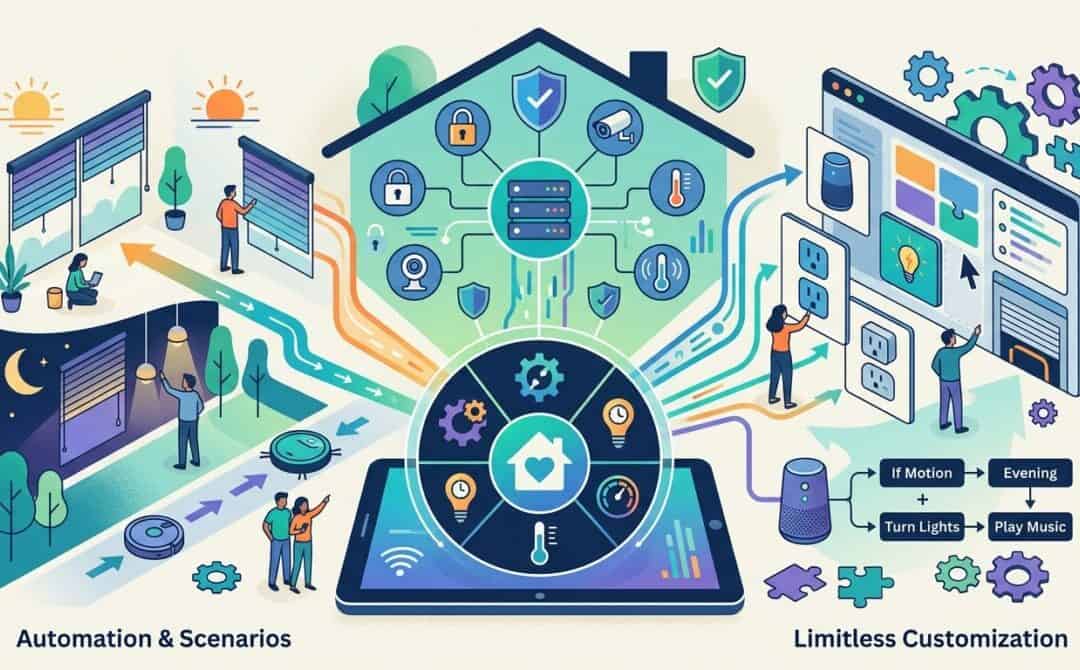
Are you tired of the limitations imposed by mainstream smart home platforms like Apple Home or Google Home? Enter Home Assistant, an open-source software solution that offers unparalleled control and customization for your smart home devices. In this blog post, we’ll explore the key features of Home Assistant, how to set it up, and why it’s a game-changer for smart home enthusiasts.
What Is Home Assistant?
Home Assistant is a versatile, open-source platform designed to manage and automate smart home devices. Unlike other systems that rely heavily on cloud services, Home Assistant runs locally on your home server or Raspberry Pi, ensuring privacy and faster performance. It integrates with thousands of devices and platforms, allowing them to communicate seamlessly.
Key Features of Home Assistant
- Local Control: Operates entirely within your home network, offering enhanced privacy and reliability.
- Cross-Platform Compatibility: Works with devices that support WiFi, LAN, or a browser, and offers apps for Android and iOS.
- Extensive Integrations: Supports over 2,900 integrations, including IKEA Tradfri, Philips Hue, Sonos, and Matter.
- Automation: Create custom automations, scenes, and scripts to simplify daily tasks.
- Custom Dashboards: Design personalized dashboards for different rooms or devices, tailored to your preferences.
How to Set Up Home Assistant
Setting up Home Assistant is straightforward, especially if you use a Raspberry Pi. Here’s a quick overview:
- Hardware Requirements: A Raspberry Pi 4 with 8GB RAM is recommended for extensive smart home setups, but it can also run on older models like the Raspberry Pi 3 Model B.
- Installation: Download the Raspberry Pi Imager, select Home Assistant OS, and install it on a micro SD card (A2 class, 32GB or more). Insert the card into the Raspberry Pi, connect it to your router via LAN, and power it up.
- Initial Setup: Access Home Assistant via
homeassistant.local:8123in your browser, create an admin account, and set your location.
Once installed, Home Assistant automatically detects smart devices in your network, making it easy to add and integrate them.
Understanding Devices, Entities, and Integrations
Home Assistant categorizes smart home components into devices, entities, and integrations:
- Devices: Physical or virtual items like lamps, thermostats, or even the sun (for sunrise/sunset automation).
- Entities: Specific functions or data points provided by devices, such as brightness levels for lamps or temperature readings for thermostats.
- Integrations: Bridges that connect Home Assistant to your devices. With over 2,900 integrations available, most systems are supported, and community-developed integrations can be added via HACS.
Automation: The Heart of Home Assistant
Automations are where Home Assistant truly shines. You can create custom workflows using triggers, conditions, and actions. For example:
- Basic Automation: Turn on lights when the sun sets, but only if someone is home.
- Advanced Automation: A light alarm clock that gradually brightens your bedroom lamps before your smartphone alarm goes off (currently only supported on Android).
Blueprints simplify automation setup by providing pre-made templates shared by the Home Assistant community. For instance, a blueprint for the light alarm clock can be easily imported and customized.
Custom Dashboards
Home Assistant allows you to create personalized dashboards to control and monitor your smart home. Dashboards can be tailored for specific devices, rooms, or user preferences. For example:
- A living room dashboard displaying temperature, calendar appointments, and subway departure times.
- A smartphone dashboard optimized for quick access to light switches.
Dashboards can be customized with icons, colors, and layouts, making them both functional and visually appealing.
Why Choose Home Assistant?
Home Assistant offers unmatched flexibility and control compared to mainstream platforms like Apple Home or Google Home. It’s ideal for users who want to:
- Automate their home without cloud dependencies.
- Integrate a wide range of devices from different manufacturers.
- Customize their smart home experience with advanced features and dashboards.
While it may require more setup than plug-and-play solutions, the possibilities are endless, and the community support ensures you’ll find solutions to almost any problem.
Conclusion
Home Assistant is a powerful tool for anyone looking to take their smart home to the next level. Whether you’re starting with a few smart bulbs or managing an extensive setup, Home Assistant grows with your needs. Its local control, extensive integrations, and advanced automation capabilities make it a standout choice for smart home enthusiasts.
FAQ
What devices can Home Assistant integrate with?
Home Assistant supports over 2,900 integrations, including popular brands like IKEA Tradfri, Philips Hue, Sonos, and Matter. Community-developed integrations via HACS expand compatibility even further.
Does Home Assistant require internet access?
No, Home Assistant runs locally on your home network. However, optional cloud access can be enabled via Nabu Casa or a Cloudflare tunnel for remote control.
Is Home Assistant difficult to set up?
While it requires more effort than plug-and-play solutions, the setup process is straightforward, especially with guides and community support. A Raspberry Pi is a popular choice for installation.