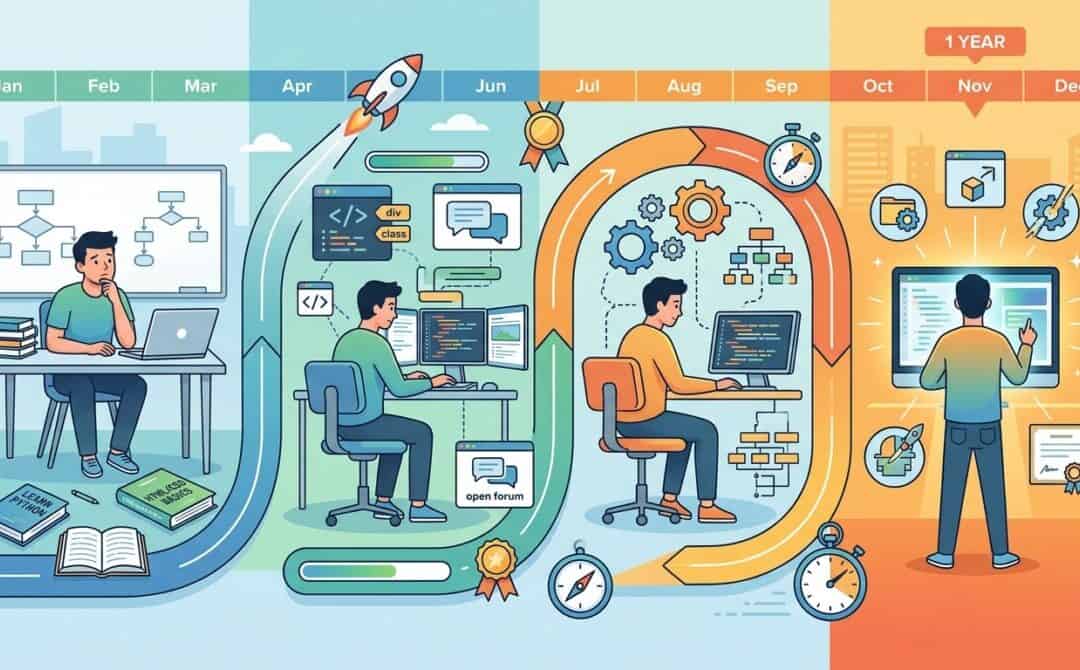
Learning to code can seem daunting, but Thomas Frank’s journey from a complete beginner to a self-taught programmer in just one year offers valuable insights for anyone looking to start. In his YouTube video, Thomas shares the tools, resources, and strategies he used to master coding and build complex apps and workflows. Here’s a comprehensive summary of his approach.
Choosing the Right Programming Language
One of the first steps Thomas took was selecting a programming language. He chose JavaScript, focusing on backend programming, which deals with the processes happening behind the scenes of websites and apps. His decision was inspired by a personal project: creating a voice note transcription workflow that integrates with Notion. JavaScript was the ideal choice due to its compatibility with the Notion API and its ability to handle backend tasks efficiently.
Key Learning Resources
Thomas relied on free, beginner-friendly resources to learn JavaScript:
- FreeCodeCamp’s JavaScript Algorithms and Data Structures Course: This course emphasizes hands-on coding with mini lessons and challenges, helping learners grasp concepts through practice.
- Modern JavaScript Tutorial (JavaScript.info): A detailed online book that complements FreeCodeCamp by offering in-depth explanations of JavaScript concepts.
- MDN Web Docs: The official documentation for JavaScript, providing comprehensive guides and examples for specific functions and language features.
He also mentioned Fireship’s YouTube channel for entertaining and informative programming content.
Secret Weapons for Faster Learning
ChatGPT
Thomas used ChatGPT as a learning tool rather than a code generator. He found it helpful for:
- Tailoring explanations to his skill level.
- Discovering concepts he didn’t know existed by asking questions like, “How would a senior developer improve this code?”
While ChatGPT can be a powerful resource, Thomas emphasized the importance of verifying its suggestions and supplementing its use with official documentation.
Pipedream
Pipedream, a no-code automation platform, became instrumental in Thomas’s learning journey. It allowed him to quickly build workflows and integrate JavaScript code into automations. By reducing the friction of traditional app development, Pipedream enabled him to focus on coding and achieve results faster.
Thomas also highlighted Pipedream’s potential as a side hustle opportunity, noting its affiliate program and the ability to create and share workflow templates.
Top Learning Hacks
Thomas shared three key strategies to accelerate coding mastery:
- Write Code Often: Prioritize hands-on coding over passive learning to reinforce concepts and build skills.
- Use a Testing Folder: Create a separate area for testing individual functions to simplify debugging and speed up iteration.
- Build a Code Snippets Database: Save frequently used code snippets in a note-taking system like Notion to streamline your workflow.
Recommended Tools
Thomas highlighted several tools that enhanced his coding experience:
- VS Code: A versatile code editor with extensions like Code Runner, Live Preview, Quokka.js, ESLint, and Prettier.
- DevUtils: A macOS app with utilities like JSON validators and text difference checkers.
- Replit: A cloud-based coding platform for quick project creation and testing.
- GitHub: A version control system for tracking changes and collaborating on code.
Conclusion
Thomas Frank’s journey demonstrates that learning to code is achievable with the right resources, tools, and mindset. By focusing on projects that inspire you, leveraging free learning materials, and using platforms like ChatGPT and Pipedream, you can accelerate your progress and build skills that open up new opportunities.
FAQ
What programming language should I start with?
Thomas recommends choosing a language based on the type of project you want to build. For web apps and backend programming, JavaScript is a great option.
Are the resources Thomas used free?
Yes, all the learning resources Thomas mentioned, including FreeCodeCamp, JavaScript.info, and MDN Web Docs, are completely free.
Can Pipedream be used without coding experience?
Yes, Pipedream supports no-code components, but adding JavaScript code can unlock more advanced functionalities.
Source: I learned to code from scratch in 1 year. Here's how.